
Verwandte Artikel zu Canon Rebel T5/EOS 1200D: The Expanded Guide (Expanded...
Inhaltsangabe
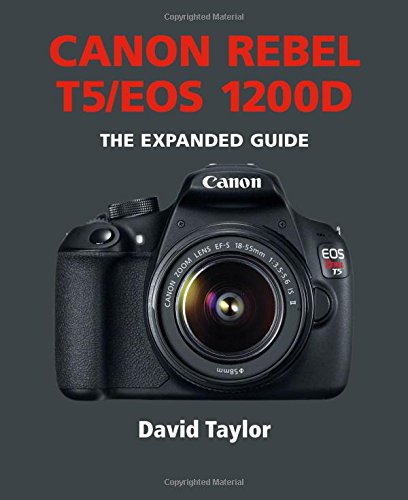
Canon's Rebel T5/EOS1200D) is the latest model in the company's DSLR lineup, replacing the Rebel T3/EOS 1100D, and intended for entry-level photographers. The camera features an 18 megapixel CMSOS (APS-C) image sensor, a high-performance DIGIC 4 image processor, and a nine-point autofocus (AF) system that can automatically lock onto moving subjects. It is equipped a continuous shooting mode of up to three frames per second (fps)—ideal for capturing fast action at, for example, sporting events or children's activities. Results can be viewed on the camera's 3 inch LCD monitor. An ISO range of 100–6400 (expandable to 12800) allows shooting in conditions from bright natural outdoor lighting to dimly lit indoor settings. The T5, which comes with an 18–55mm lens, is also compatible with the complete lineup of Canon EF and EF-S lenses and, if used with EF macro lenses, can capture close-up detail. The camera’s Full HD Movie mode allows shooting of high-quality 1080p movies with ease. A number of recording sizes and frame rates enable easy manual control of exposure, focus and Live View features, as well as in-camera editing. Special features Five Creative Filters—Grainy B/W, Soft Focus, Fisheye Effect, Miniature Effect, and Toy Camera Effect—allow the user to alter the mood and feel of any scene. Basic+ makes it easy to change the ambience or scene type according to simple choices made on the Quick Control Screen. Creative Auto mode enables beginners to expand their photographic horizons, where basic settings are based on full automatic operation, but shooting guides on the LCD explain how to change settings, including exposure, tone, and sharpness, and how those changes will affect the final image.
Die Inhaltsangabe kann sich auf eine andere Ausgabe dieses Titels beziehen.
Über die Autorin bzw. den Autor
It is equipped a continuous shooting mode of up to three frames per second (fps) ideal for capturing fast action at, for example, sporting events or children's activities. Results can be viewed on the camera's 3in. LCD monitor.
Auszug. © Genehmigter Nachdruck. Alle Rechte vorbehalten.
Canon Rebel T5/EOS 1200D
The Expanded Guide
By David Taylor, Chris GatcumAE Publications Ltd
Copyright © 2014 AE Publications Ltd
All rights reserved.
ISBN: 978-1-78145-106-9All rights reserved.
Contents
Chapter 1 Overview, 6,
Chapter 2 Functions, 18,
Chapter 3 Menus, 84,
Chapter 4 Lenses, 140,
Chapter 5 Flash, 160,
Chapter 6 In the field, 184,
Chapter 7 Accessories, 196,
Chapter 8 Macro, 208,
Chapter 9 Connection, 220,
Glossary, 234,
Useful web sites, 237,
Index, 238,
CHAPTER 1
OVERVIEW
The Rebel T5/EOS 1200D is the latest entry-level camera in Canon's digital EOS range. It can be described as many cameras in one: not only can it be used as a point-and-shoot camera in its automatic modes, but it can also be controlled manually for more creative photography.
The Rebel T5/EOS 1200D was announced in February 2014 as the replacement for the three-year-old Rebel T3/EOS 1100D. Indeed, the two models are quite similar, so it's easy to think of the Rebel T5/EOS 1200D as an evolutionary camera, rather than a revolutionary one.
While this is partially true, it does the Rebel T5/EOS 1200D a slight disservice. The headline change is the resolution increase from 12MP to 18MP, coupled with Canon's highly capable DIGIC 4 image processor. Another improvement over the Rebel T3/ EOS 1100D is the camera body itself. The quality of the materials used in the body of the Rebel T5/EOS 1200D is a definite improvement over its predecessor.
Canon has also launched a new app specifically for Rebel T5/EOS 1200D users detailing features of the camera; the app is available for both iOS and Android devices.
MAIN FEATURES
Body
Dimensions (W x H x D): 5.12 x 3.94 x 3.07in. (130 x 100 x 78mm)
Weight: 16.9 ounces (480 grams) with battery
Body materials: Composite structure
Lens mount: Canon EF/EF-S
Operating environment: 32-104°F (0-40°C) at 85% humidity maximum.
Sensor and processor
Sensor: 22.3 x 14.9mm APS-C format RGB CMOS sensor
Resolution: Approx. 17.9 megapixels
Image processor: DIGIC 4 with 14-bit output
Automatic dust removal: No
Still images
JPEG resolution (pixels): 5184 x 3456 (L); 3456 x 2304 (M); 2592 x 1728 (SI); 1920 x 1280 (S2); 720 x 480 (S3).
JPEG compression: Fine; Normal (except when S2 or S3 are selected)
Raw resolution: 5184 x 3456 pixels
Raw format: .CR2 (14-bit)
Raw + JPEG shooting: Yes
Movies
Movie format: .MOV
Compression: H.264 (image); Linear PCM (audio)
Movie resolution: Full HD (1920 x 1080 pixels at 30, 25, or 24 frames per second); HD (1280 x 720 pixels at 60 or 50 fps); SD 640 x 480 pixels at 30 or 25 fps)
LCD monitor
Type: TFT LCD
Resolution: Approx. 460,000 pixels
Size: 3.0in./7.7cm diagonal
Live View: Yes
Brightness levels: 7 user-selectable levels
Viewfinder
Type: Eye-level pentamirror
Coverage: Approx. 95% coverage
Eye point: 21mm
Diopter adjustment: -2.5-+0.5m-1
Focusing (viewfinder)
Focus modes: One-Shot; Al Servo AF; Al Focus AF; Manual
Type: Phase detection
Focus points: 9 AF points that can be selected individually
AF assist beam: Yes
Focusing (Live View)
Focus modes: FlexiZone-Single; Face detection Live; Quick mode; Manual
Type: Contrast detection (FlexiZone-Single; Face detection Live); Phase detection (Quick mode).
Magnification: 5x and 10x magnification of the Live View image available
Exposure
Basic Zone modes: Scene Intelligent Auto; No Flash; Creative Auto; Portrait; Landscape; Close-up; Sports; Night Portrait; Movie
Creative Zone modes: Program (P); Shutter Priority (Tv); Aperture Priority (Av); Manual (M)
Metering patterns: Evaluative; Center-weighted; Partial
Exposure compensation: ±5 stops in 1/3- or ½-stop increments
Automatic exposure bracketing: ±2 stops in 1/3- or ½- stop increments
ISO: 100-3200 in Basic Zone modes (ISO 100 in Portrait mode); 100-6400 (expandable to H/12,800) in Creative Zone modes
Shutter
Shutter speeds: 1/4000-30 sec. plus Bulb (mode dependent)
Drive modes: Single shot; Continuous
Max. frame rate: 3 fps
Max. burst depth: 69 frames (JPEG); 6 frames (Raw); 4 frames (Raw + JPEG)
Self-timer: 2 sec. or 10 sec.
Flash
Built-in flash: GN 30ft (9.2m) at ISO 100
Hotshoe: Yes (compatible with Canon EX Speedlite flashes)
Sync speed: 1/200 sec.
Flash modes: Auto; Flash On; Flash Off; Red-eye reduction; 1st/2nd curtain sync
Flash exposure compensation: ±2 stops in 1/3-stop increments
Memory card
Type: SD (up to 2GB), SDHC (up to 32GB); SDXC (32GB+)
Eye-Fi compatible: Yes
Supplied software
EOS Utility; Digital Photo Professional (DPP); ImageBrowser EX; PhotoStitch; Picture Style Editor
CHAPTER 2FUNCTIONS
In keeping with the Rebel T3/EOS HOOD DSLR that it follows, the Rebel T5/EOS 1200D is an entry-level camera. However, this doesn't mean it is lacking in features.
The Rebel T5/EOS 1200D can be used in one of two ways: either as a fully automated point-and-shoot camera or as a manual camera that you have complete control over. There's no shame in using your camera the first way — although it's useful to understand the basic principles of photography, the creation of successful images is ultimately more important.
The automated side of the Rebel T5/ EOS 1200D takes the form of a suite of scene modes (known collectively as Basic Zone modes) that are designed to help you achieve a perfect shot in a variety of photographic situations. The scene modes are fun to use and are easily selectable, making the Rebel T5/EOS 1200D a simple camera to use.
However, if you do want to go further with your photography, there are other modes (known as Creative Zone modes) that will give you greater control over your camera. These modes allow you to set functions such as exposure, metering, and focus to achieve the desired effect. This chapter will begin by explaining the basics of using your Rebel T5/EOS 1200D before moving on to show how it can be used as a powerful creative tool.
CAMERA PREPARATION
Attaching the strap
Once you've attached the supplied strap, you can wear your Rebel T5/EOS 1200D around your neck or wrap the strap around your wrist to help keep your camera secure.
To attach the strap to your Rebel T5/ EOS 1200D, pull one end of the strap out of the attached buckle and plastic loop, and then feed it through either the right or left strap mount on the side of the camera. Feed the end back through the plastic loop and under the length of strap still in the buckle. Pull the end of the strap so that it fits snugly in the buckle. For safety, allow at least 2 inches (5cm) of strap to extend beyond the buckle. Repeat the process on the opposite side of the camera.
Using the viewfinder
There are two ways to compose an image with your Rebel T5/EOS 1200D: you can either use the LCD screen and Live View or you can look through the camera's optical viewfinder. Both methods have their advantages and disadvantages (we'll explore Live View later in this chapter).
The two big advantages of using the viewfinder are that it conserves battery power and it is easier to hold a...
„Über diesen Titel“ kann sich auf eine andere Ausgabe dieses Titels beziehen.
Suchergebnisse für Canon Rebel T5/EOS 1200D: The Expanded Guide (Expanded...

Beispielbild für diese ISBN
Canon Rebel T5/EOS 1200D (Expanded Guides)
Anbieter: Majestic Books, Hounslow, Vereinigtes Königreich
Verkäuferbewertung 4 von 5 Sternen

Zustand: New. pp. 240. Artikel-Nr. 142054367
Neu kaufen
EUR 19,84
EUR 7,69 Versand
Versand von Vereinigtes Königreich nach USA
Versand von Vereinigtes Königreich nach USA
Anzahl: 3 verfügbar
Beispielbild für diese ISBN
Canon Rebel T5/EOS 1200D: The Expanded Guide
Anbieter: Revaluation Books, Exeter, Vereinigtes Königreich
Verkäuferbewertung 5 von 5 Sternen

Paperback. Zustand: Brand New. 240 pages. 6.75x5.75x0.75 inches. In Stock. Artikel-Nr. __1781451060
Neu kaufen
EUR 17,43
EUR 11,84 Versand
Versand von Vereinigtes Königreich nach USA
Versand von Vereinigtes Königreich nach USA
Anzahl: 2 verfügbar
Beispielbild für diese ISBN
Canon Rebel T5/EOS 1200D
Anbieter: Kennys Bookstore, Olney, MD, USA
Verkäuferbewertung 5 von 5 Sternen
Zustand: New. 2015. Paperback. Canon's Rebel T5/EOS1200D replaces the Rebel T3/EOS 1100D, and is intended for entry-level photographers. The camera features an 18 megapixel CMSOS (APS-C) image sensor, a high-performance DIGIC 4 image processor, and a nine-point autofocus (AF) system. This title provides practical tips on how to get the best from this camera. Num Pages: 240 pages, full colour throughout, includes 200 photographs. BIC Classification: AJG; UDP. Category: (G) General (US: Trade). Dimension: 150 x 178 x 15. Weight in Grams: 438. . . . . . Books ship from the US and Ireland. Artikel-Nr. V9781781451069
Neu kaufen
EUR 21,09
EUR 9,36 Versand
Versand innerhalb von USA
Versand innerhalb von USA
Anzahl: 3 verfügbar
Beispielbild für diese ISBN
Canon Rebel T5/EOS 1200D (Expanded Guides)
Anbieter: Ria Christie Collections, Uxbridge, Vereinigtes Königreich
Verkäuferbewertung 5 von 5 Sternen
Zustand: New. In English. Artikel-Nr. ria9781781451069_new
Neu kaufen
EUR 20,44
EUR 13,36 Versand
Versand von Vereinigtes Königreich nach USA
Versand von Vereinigtes Königreich nach USA
Anzahl: 3 verfügbar
Beispielbild für diese ISBN
Canon Rebel T5/EOS 1200D
Anbieter: PBShop.store UK, Fairford, GLOS, Vereinigtes Königreich
Verkäuferbewertung 5 von 5 Sternen
PAP. Zustand: New. New Book. Shipped from UK. Established seller since 2000. Artikel-Nr. GB-9781781451069
Neu kaufen
EUR 30,45
EUR 4,92 Versand
Versand von Vereinigtes Königreich nach USA
Versand von Vereinigtes Königreich nach USA
Anzahl: 3 verfügbar
Foto des Verkäufers
Canon Rebel T5/EOS 1200D
Anbieter: AHA-BUCH GmbH, Einbeck, Deutschland
Verkäuferbewertung 5 von 5 Sternen
Taschenbuch. Zustand: Neu. Neuware - Canon's Rebel T5/EOS1200D) is the latest model in the company's DSLR lineup, replacing the Rebel T3/EOS 1100D, and intended for entry-level photographers. The camera features an 18 megapixel CMSOS (APS-C) image sensor, a high-performance DIGIC 4 image processor, and a nine-point autofocus (AF) system that can automatically lock onto moving subjects. Artikel-Nr. 9781781451069
Neu kaufen
EUR 22,62
EUR 35,00 Versand
Versand von Deutschland nach USA
Versand von Deutschland nach USA
Anzahl: 2 verfügbar
Beispielbild für diese ISBN
CANON REBEL T5EOS 1200D EXPANDED GUIDE
Anbieter: Speedyhen, Hertfordshire, Vereinigtes Königreich
Verkäuferbewertung 5 von 5 Sternen
Zustand: NEW. Artikel-Nr. NW9781781451069
Neu kaufen
EUR 15,37
EUR 48,53 Versand
Versand von Vereinigtes Königreich nach USA
Versand von Vereinigtes Königreich nach USA
Anzahl: 3 verfügbar
Foto des Verkäufers
Canon Rebel T5/EOS 1200D
Verlag:
Guild of Master Craftsman Publications Ltd, 2014
ISBN 10: 1781451060
ISBN 13: 9781781451069
Neu
Softcover
Anbieter: moluna, Greven, Deutschland
Verkäuferbewertung 5 von 5 Sternen
Zustand: New. Canon s Rebel T5/EOS1200D replaces the Rebel T3/EOS 1100D, and is intended for entry-level photographers. The camera features an 18 megapixel CMSOS (APS-C) image sensor, a high-performance DIGIC 4 image processor, and a nine-point autofocus (AF) system. Thi. Artikel-Nr. 385645199
Neu kaufen
EUR 21,09
EUR 48,99 Versand
Versand von Deutschland nach USA
Versand von Deutschland nach USA
Anzahl: 3 verfügbar
Foto des Verkäufers
Canon Rebel T5/EOS 1200D
Anbieter: preigu, Osnabrück, Deutschland
Verkäuferbewertung 5 von 5 Sternen
Taschenbuch. Zustand: Neu. Canon Rebel T5/EOS 1200D | David Taylor | Taschenbuch | The Expanded Guide | Einband - flex.(Paperback) | Englisch | 2014 | GMC Publications | EAN 9781781451069 | Verantwortliche Person für die EU: Libri GmbH, Europaallee 1, 36244 Bad Hersfeld, gpsr[at]libri[dot]de | Anbieter: preigu. Artikel-Nr. 122038161
Neu kaufen
EUR 23,15
EUR 70,00 Versand
Versand von Deutschland nach USA
Versand von Deutschland nach USA
Anzahl: 1 verfügbar