
Verwandte Artikel zu Design Wise: A Guide to Evaluating the Interface Design...
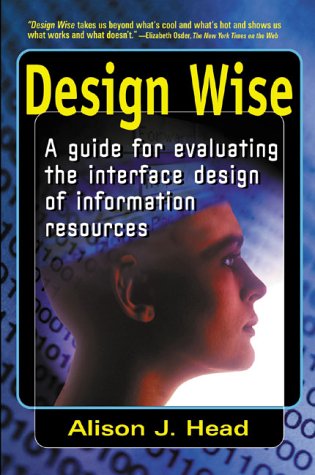
Design Wise: A Guide to Evaluating the Interface Design of Information Resources: A Guide for Evaluating the Interface Design of Information Resources - Softcover
Inhaltsangabe
A badly designed Web site interface can result in a site that is hard to find and hard to use but a well-designed interface helps users find and utilize the information they need quickly and easily. Explaining what interface design is and how to evaluate it, this guide explores the importance of interface design to users, reveals how a product gets designed, and provides a design evaluation template and design analyses of CD-ROMs, Web sites, and online providers.
Die Inhaltsangabe kann sich auf eine andere Ausgabe dieses Titels beziehen.
Über die Autorin bzw. den Autor
Alison J. Head is a lecturer, writer, and information management consultant. She has been a contractor on Internet design and evaluation at Hewlett-Packard and has lectured extensively on library and information science. She lives in Sonoma, California.
Auszug. © Genehmigter Nachdruck. Alle Rechte vorbehalten.
Design Wise
A Guide for Evaluating the Interface Design of Information Resources
By Alison J. HeadInformation Today, Inc.
Copyright © 1999 Alison J. Head
All rights reserved.
ISBN: 978-0-910965-31-6All rights reserved.
Contents
Copyright,
List of Figures and Tables,
Foreword,
Preface,
Acknowledgments,
Introduction,
Part 1 Interface Design Basics,
Chapter 1 Why Design Matters,
Chapter 2 Secret Shame,
Chapter 3 Deconstructing Evaluation,
Part 2 Interface Design Analyses,
Chapter 4 CD-ROMs: Treasure Trove or Wasteland?,
Chapter 5 Web Sites: Weaving Deceit?,
Chapter 6 Online Commercial Databases: Power Tools Unplugged?,
Chapter 7 Four Predictions,
Bibliography,
Index,
CHAPTER 1
Why Design Matters
It has happened more than once. I run across some souped-up Web version of one of my favorite information sources and, within seconds, I am sucked in. At last, all of that coveted information is compiled in one searchable multimedia extravaganza. With a slight tap to the keyboard, information comes pouring onto the screen like floodwaters from a Midwestern storm. I dive in with careless disregard: hook, line, and online registration. But after a few encounters, my enthusiasm dampens. The site is not all it is cracked up to be. The frenetic graphic that dances across the screen every time I pull up the site begins to annoy me. The circuitous layout wears me out. Searching is slow and frustrating. It does not take long. Less than three months later, I have pulled the site from my bookmark list. Another misbegotten venture in the online world.
Whatever system we are using — whether it is a CD or an online service or a Web site — most of us begin taking an interest in interface design (whether we call it that or not) when aspects of the interface stop working well for us. It is absolutely true that no one likes a slow, plodding CD-ROM. An online service glutted with overwhelmingly bright colors that draws our attention in ninety different directions can be tough to take, too. A Web site with undersized and incomprehensible icons is just plain unnavigable. When an interface becomes clunky, illogical, muddled, unintuitive, inflexible, obstinate, and circuitous — then interface design matters very much to us.
On the most basic level, design matters because it plays a large role in determining whether we can get our work done. A well-designed tool is one that is easy to interpret and satisfying to use. In fact, many software developers say that the best designs are ones that users never give a second thought about. They describe this quality as invisibility and it is the hallmark of effortless user interaction and good design. In contrast, a poorly designed tool is far from invisible, taking far too much time to use and delivering few results for our work in return. Whether an interface design is a good one or a poor one is a complex and involved issue. But one thing is certain for users, issues of design quality begin with a resource's interface.
What Exactly Is an Interface?
An interface is the visible piece of a system that a user sees or hears or touches. Users come into contact with an interface when they use a system, often needing to get a task done. Regardless of whether it whirs, spins, speaks, or lights up, an interface exists in one form or another in every system. There are millions of different interfaces that are designed by someone for something. Some interfaces work well for us, while others do not. Don Norman (who is interviewed at the end of this chapter) has written thoroughly and candidly about the interface design of computers, as well as that of commonplace devices. In The Design of Everyday Things, Norman even considers the interface of doorknobs. These common devices, depending on the visibility of their design, may reveal how a door works. A well-designed doorknob communicates to its users whether a door should be pushed or pulled. A poorly designed doorknob gives us no clues. When this happens, we must experiment until we figure out how the door works — sometimes to our own detriment! Norman's point is that well-designed interfaces, no matter what kind of mechanism we are talking about, are based on solid design principles that enhance use. A good design is a reliable and effective intermediary, sending us the right cues so that tasks get done — regardless of how trivial, incidental, or artful the design might seem to be.
Computer interfaces are also important translators of functionality. They work by projecting a simplified, designed version of all of the complex information-processing tasks actually occurring inside the box's circuitry, whether it is withdrawing money from an automated teller machine (ATM), word processing a letter, or viewing a video clip from a Web page. In order to carry out tasks, users type in something through a keyboard or they point and click with a mouse. This aspect of the exchange between a user and an interface is called interaction. Once a request has been entered by the user, the computer undergoes several translation stages. Translation occurs at the program level as well as at the circuitry level, funneling a response back to users through the interface. As involved as this electronic dance may seem, processing usually occurs very quickly, owing much to the speed and agility of the microprocessor chip.
ATMS: The Design of Everyday Banking
Several semesters ago, I taught an introductory seminar on Human-Computer Interaction (HCI) to advanced graduate students in information science. I used an assignment to find out what the untrained eye notices — good and bad — about interface design. During the first class, I gave a brief lecture on interface design. I then sent the students out to evaluate the design of a bank's ATM. For some, this sounded too hard for a first assignment. What did they possibly know about design? I gave them some basic guideline questions along with the assignment: Was the ATM usable? How easily did the system support the functions they use often and the ones they use rarely? What aspects of the ATM design were optimal and less than optimal? The following week the students returned with their field observations. Overall, they had mixed reviews about ATMs; some things worked well while others needed more design work. Among their observations:
• A green light around the card entry slot on some ATMs drew their attention to an important starting point.
• Commonly used functions, like withdrawing $40, appeared as first choices on menus, which made navigating a lot more direct and efficient.
• Left-handed users had a tough time with ATMs because the input pad is designed for right-handed users.
• There were hours during the day when the screen became unreadable because of intense glare from the sun shining on the screen.
• Customizing options for operations that many students performed over and over again were non-existent.
It turned out after all that the students did know something about interface design. In fact, many of their observations were quite insightful. Among them, they found that it is reasonable to expect cues for first-time users. They anticipated quick responses from the system. When the screen sat mute after a button was pushed, their interaction with the ATM began to break down. The students' comments revealed an underlying dimension that is true for all user interactions with...
„Über diesen Titel“ kann sich auf eine andere Ausgabe dieses Titels beziehen.
Suchergebnisse für Design Wise: A Guide to Evaluating the Interface Design...

Beispielbild für diese ISBN
Design Wise: A Guide to Evaluating the Interface Design of Information Resources
Anbieter: AwesomeBooks, Wallingford, Vereinigtes Königreich
Verkäuferbewertung 5 von 5 Sternen

Paperback. Zustand: Very Good. Design Wise: A Guide to Evaluating the Interface Design of Information Resources This book is in very good condition and will be shipped within 24 hours of ordering. The cover may have some limited signs of wear but the pages are clean, intact and the spine remains undamaged. This book has clearly been well maintained and looked after thus far. Money back guarantee if you are not satisfied. See all our books here, order more than 1 book and get discounted shipping. Artikel-Nr. 7719-9780910965316
Gebraucht kaufen
EUR 21,24
EUR 4,79 Versand
Versand von Vereinigtes Königreich nach USA
Versand von Vereinigtes Königreich nach USA
Anzahl: 2 verfügbar
Beispielbild für diese ISBN
Design Wise: A Guide to Evaluating the Interface Design of Information Resources
Anbieter: Bahamut Media, Reading, Vereinigtes Königreich
Verkäuferbewertung 5 von 5 Sternen
Paperback. Zustand: Very Good. This book is in very good condition and will be shipped within 24 hours of ordering. The cover may have some limited signs of wear but the pages are clean, intact and the spine remains undamaged. This book has clearly been well maintained and looked after thus far. Money back guarantee if you are not satisfied. See all our books here, order more than 1 book and get discounted shipping. Artikel-Nr. 6545-9780910965316
Gebraucht kaufen
EUR 20,89
EUR 8,12 Versand
Versand von Vereinigtes Königreich nach USA
Versand von Vereinigtes Königreich nach USA
Anzahl: 2 verfügbar
Beispielbild für diese ISBN
Design Wise: A Guide for Evaluating the Interface Design of Information Resources
Anbieter: Phatpocket Limited, Waltham Abbey, HERTS, Vereinigtes Königreich
Verkäuferbewertung 5 von 5 Sternen
Zustand: Good. Your purchase helps support Sri Lankan Children's Charity 'The Rainbow Centre'. Ex-library, so some stamps and wear, but in good overall condition. Our donations to The Rainbow Centre have helped provide an education and a safe haven to hundreds of children who live in appalling conditions. Artikel-Nr. Z1-A-002-03947
Gebraucht kaufen
EUR 17,94
EUR 12,37 Versand
Versand von Vereinigtes Königreich nach USA
Versand von Vereinigtes Königreich nach USA
Anzahl: 2 verfügbar