
Verwandte Artikel zu Red Hat Fedora and Enterprise Linux 4 Bible
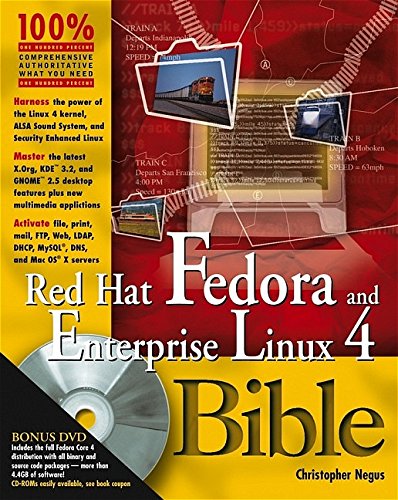
Inhaltsangabe
For desktop or business, here's all the Linux you need
Whether you want the latest Linux software in Fedora or a stable Red Hat Enterprise Linux for your business, this book covers it all. Install Fedora Core 4 from the DVD or two CDs included and learn to use Linux as a desktop system or an Internet server. Check out fun applications for surfing the Web and doing office tasks. Learn to manage basic system administration, and move up to running your own Web, mail, print, or file server.
Configure Fedora or Red Hat Enterprise Linux to:
* Browse the Web with Firefox
* Read and send e-mail with Evolution
* Create documents, spreadsheets, or presentations with OpenOffice.org
* Set up networked Web, mail, file, database, LDAP, print, or other servers
Transition your Fedora skills to Enterprise Linux with:
* Descriptions of RHEL products, features, and services
* Pointers to professional RHEL training and certification
Install complete Fedora Core 4 from DVD
Using the bonus DVD, you can:
* Boot the DVD to check and prepare your computer before installing Fedora (using KNOPPIX)
* Install the complete Fedora Core 4 Linux operating system (all source code packages included)
Install desktop Fedora Core 4 from CD
Using the bonus 2-CD set, you can:
* Select the software you need for a well-stocked desktop system
* Add key server features to use with your desktop Fedora system
Open for more!
* Find ten cool things you can do with Fedora
* Use KNOPPIX to test and prepare your computer
* Get your Windows stuff working in Linux
www.wiley.com/go/fedora4bible
Die Inhaltsangabe kann sich auf eine andere Ausgabe dieses Titels beziehen.
Über die Autorin bzw. den Autor
Christopher Negus has been working with UNIX systems, the Internet, and (most recently) Linux systems for more than two decades. During that time, Chris worked at AT&T Bell Laboratories, UNIX System Laboratories, and Novell, helping to develop the UNIX operating system. Features from many of the UNIX projects Chris worked on at AT&T have found their way into Red Hat Enterprise Linux, Fedora, and other Linux systems.
Chris is the author of all editions of Red Hat Linux Bible, which because of the name changes of Red Hat's Linux projects has evolved into the book you are holding. Most recently, Chris wrote Linux Bible 2005 Edition and co-wrote Linux Troubleshooting Bible and Linux Toys for Wiley Publishing. During the past few years, Chris has written several books on UNIX and the Internet, including Internet Explorer 4 Bible and Netscape Plug-Ins For Dummies for Wiley Publishing. He also co-wrote several books for Que Publishing, including The Complete Idiot's Guide to Networking (second and third editions) and Using UNIX (second edition).
Von der hinteren Coverseite
For desktop or business, here's all the Linux you need
Whether you want the latest Linux software in Fedora or a stable Red Hat Enterprise Linux for your business, this book covers it all. Install Fedora Core 4 from the DVD or two CDs included and learn to use Linux as a desktop system or an Internet server. Check out fun applications for surfing the Web and doing office tasks. Learn to manage basic system administration, and move up to running your own Web, mail, print, or file server.
Configure Fedora or Red Hat Enterprise Linux to:
* Browse the Web with Firefox
* Read and send e-mail with Evolution
* Create documents, spreadsheets, or presentations with OpenOffice.org
* Set up networked Web, mail, file, database, LDAP, print, or other servers
Transition your Fedora skills to Enterprise Linux with:
* Descriptions of RHEL products, features, and services
* Pointers to professional RHEL training and certification
Install complete Fedora Core 4 from DVD
Using the bonus DVD, you can:
* Boot the DVD to check and prepare your computer before installing Fedora (using KNOPPIX)
* Install the complete Fedora Core 4 Linux operating system (all source code packages included)
Install desktop Fedora Core 4 from CD
Using the bonus 2-CD set, you can:
* Select the software you need for a well-stocked desktop system
* Add key server features to use with your desktop Fedora system
Open for more!
* Find ten cool things you can do with Fedora
* Use KNOPPIX to test and prepare your computer
* Get your Windows stuff working in Linux
www.wiley.com/go/fedora4bible
Aus dem Klappentext
Ten cool things to do with Fedora
* Add tons of free software
* Change themes, backgrounds, and other preferences of your GNOME or KDE desktops
* Import, play, and manage your entire music collection in Rhythmbox
* Enjoy instant messaging
* Download, modify, and share pictures with friends
* Watch television
* Use wired, wireless, or modem connections to reach the Web or other computers
* Run many of the most popular Windows applications using WINE
* Back up your data files quickly and easily
* Share files and printers on your Windows network using Samba
Add Linux to your Windows PC
* Resize your hard disk to make space for Linux
* Install Linux to dual boot with Windows
* Mount Windows file systems to work from Linux
* Do Windows file and print sharing in Linux with Samba
* Access your Windows documents, music, presentations, Web pages, and video from Linux
Use KNOPPIX to test and prepare your computer
Before you install Fedora, use the DVD with this book to:
* Check to see whether Linux will work on your computer
* Prepare your computer to dual boot Fedora and Windows
Boot the DVD and type knoppix at the boot prompt. When KNOPPIX comes up, look on the back of this page to see all the things you can do before installing Fedora Core 4!
„Über diesen Titel“ kann sich auf eine andere Ausgabe dieses Titels beziehen.
Suchergebnisse für Red Hat Fedora and Enterprise Linux 4 Bible

Beispielbild für diese ISBN
Red Hat Fedora and Enterprise Linux 4 Bible
Anbieter: BooksRun, Philadelphia, PA, USA
Verkäuferbewertung 5 von 5 Sternen

Paperback. Zustand: Fair. 1. The item might be beaten up but readable. May contain markings or highlighting, as well as stains, bent corners, or any other major defect, but the text is not obscured in any way. Artikel-Nr. 0764595768-7-1-13
Gebraucht kaufen
EUR 41,75
Versand gratis
Versand innerhalb von USA
Versand innerhalb von USA
Anzahl: 1 verfügbar
Beispielbild für diese ISBN
Red Hat Fedora and Enterprise Linux 4 Bible
Anbieter: BooksRun, Philadelphia, PA, USA
Verkäuferbewertung 5 von 5 Sternen
Paperback. Zustand: Very Good. 1. Supplements included. It's a well-cared-for item that has seen limited use. The item may show minor signs of wear. All the text is legible, with all pages included. It may have slight markings and/or highlighting. Artikel-Nr. 0764595768-11-1-116
Gebraucht kaufen
EUR 41,75
Versand gratis
Versand innerhalb von USA
Versand innerhalb von USA
Anzahl: 1 verfügbar