
Verwandte Artikel zu Stephens' Visual Basic Programming 24-Hour Trainer...
Inhaltsangabe
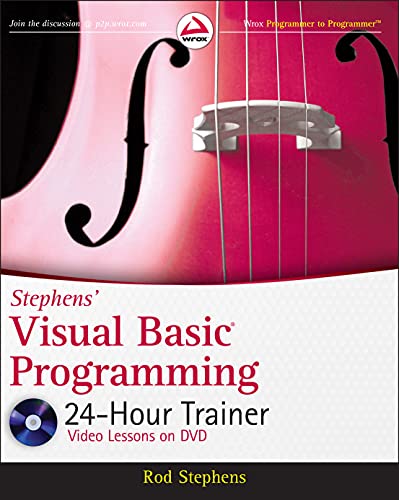
<b>Unique book-and-DVD package for novice Visual Basic programmers</b> <p>Start from scratch, and even if you don?t know a thing about Visual Basic, you soon will with this thorough introduction to Visual Basic programming. Using easy-to-follow lessons and step-by-step instruction, this practical book teaches you concepts and hands-on techniques, then reinforces your learning with video screencasts and supplemental materials. Follow the exercises, then access the Try It section on the DVD, and watch as well-known VB authority and author Rod Stephens works through programming problems.</p> <ul> <li>Introduces Visual Basic programming to beginning programmers; no prior experience is necessary</li> <li>Covers Visual Basic programming concepts and techniques, as well as the Visual Studio development environment</li> <li>Provides a series of easy-to-follow lessons, supplemented by instructional video on DVD</li> <li>Offers expert instruction from well-known VB authority and author Rod Stephens, who also provides supplemental instruction on the DVD, where he works through a series of Try It problems and demonstrates effective solutions</li> </ul> <p>Stephens' <i>Visual Basic Programming 24-Hour Trainer</i> is an exceptional book-and-DVD package that will have you programming in Visual Basic in no time.</p> <p><b>Note: As part of the print version of this title, video lessons are included on DVD. For e-book versions, video lessons can be accessed at wrox.com using a link provided in the interior of the e-book.</b></p>
Die Inhaltsangabe kann sich auf eine andere Ausgabe dieses Titels beziehen.
Über die Autorinnen und Autoren
<p><b>Rod Stephens</b> is a Microsoft MVP and the author of more than 20 books and 250 articles on Visual Basic, C#, Java, and other programming topics. He is a regular contributor to DevX and the author of the bestselling <i>Visual Basic Programmer’s Reference</i>.</p> <p><b>Wrox guides</b> are crafted to make learning programming languages and technologies easier than you think. Written by programmers for programmers, they provide a structured, tutorial format that will guide you through all the techniques involved.
Rod Stephens is a Microsoft MVP and the author of more than 20 books and 250 articles on Visual Basic, C#, Java, and other programming topics. He is a regular contributor to DevX and the author of the bestselling Visual Basic Programmer's Reference.
Von der hinteren Coverseite
<p><b>Learn to program with Visual Basic from an expert</b></p> <p>As a well-known authority on Microsoft programming, Rod Stephens has developed a clear and compelling approach to teaching programming languages. With this book-and-video package, he applies his skills by showing you how to use Visual Basic to build robust software applications. Assuming little or no programming experience, the self-paced lessons with step-by-step instructions teach you the concepts and techniques of programming with Visual Basic. The tutorials on the DVD reinforce learning, helping you to quickly master the skills required for effective Visual Basic programming. <p><i>Stephens’ Visual Basic Programming 24-Hour Trainer: </i> <lu><li>Shows you how to read and write files and interact with databases</li> <li>Explains how to write, debug, and run desktop applications that interact with the user and the computer</li> <li>Looks at ways to perform calculations, manipulate files and strings, and produce printouts</li> <li>Details how to use the Entity Framework to manipulate databases</li> <li>Describes Visual Basic’s most useful controls and explains how to add them to forms, set their properties, and interact with them in code</li> <li>Shows you how to use LINQ to Objects to perform complex queries of data without a lot of complicated code</li></lu> <p><b>On the DVD</b> <p><b>Don’t just learn—do!</b> <p><b>The lessons within the book are each accompanied by an instructional demonstration on the DVD—hours of video tutorials!</b> <p><b>You’ll learn to:</b> <lu><li>Get started with the Visual Studio integrated development environment </li> <li>Use varibles and perform calculations</li> <li>Debug code and reuse code with procedures</li> <li>Define class methods and events</li> <li>Make menus, tool strips, and status strips</li> <li>Create and display new forms</li> <li>Build custom dialogs</li> <li>Use arrays and collections</li> <li>Handle errors and prevent bugs</li> <li>Make generic classes</li> <li>Use inheritance and polymorphism </li></lu>
Aus dem Klappentext
Learn to program with Visual Basic from an expert
As a well-known authority on Microsoft programming, Rod Stephens has developed a clear and compelling approach to teaching programming languages. With this book-and-video package, he applies his skills by showing you how to use Visual Basic to build robust software applications. Assuming little or no programming experience, the self-paced lessons with step-by-step instructions teach you the concepts and techniques of programming with Visual Basic. The tutorials on the DVD reinforce learning, helping you to quickly master the skills required for effective Visual Basic programming.
Stephens’ Visual Basic Programming 24-Hour Trainer:
On the DVD
Don’t just learn—do!
The lessons within the book are each accompanied by an instructional demonstration on the DVD—hours of video tutorials!
You’ll learn to:
Auszug. © Genehmigter Nachdruck. Alle Rechte vorbehalten.
Stephens' Visual Basic Programming 24-Hour Trainer
By Rod StephensJohn Wiley & Sons
Copyright © 2011 John Wiley & Sons, LtdAll right reserved.
ISBN: 978-0-470-94335-9
Chapter One
Getting Started with the Visual Studio IDE
The Visual Studio integrated development environment (IDE) plays a central role in Visual Basic development. In this lesson you explore the IDE. You learn how to configure it for Visual Basic development, and you learn about some of the most useful IDE windows and what they do. When you finish this lesson, you'll know how to create a new project. It may not do much, but it will run and you'll be ready for the lessons that follow.
Visual Studio is a development environment that you can use with several programming languages, including C#, Visual Basic, Visual C++, and F#. Visual Basic is a high-level programming language that can read inputs, calculate results, display outputs to the user, and perform other operations typical of high-level programming languages.
The .NET Framework also plays an important role in Visual Basic programs. It includes classes that make performing certain tasks easier, runtime tools that make it possible to execute Visual Basic programs, and other plumbing necessary to build and run Visual Basic programs.
Normally you don't need to worry about whether a feature is provided by Visual Studio, the Visual Basic language, or the .NET Framework. They all go together in this book, so for the purposes of this book at least you can ignore the difference.
INSTALLING VISUAL BASIC
Before you can use Visual Basic to write the next blockbuster first-person game, you need to install it, so if you haven't done so already, install Visual Basic.
You can install the Express Edition from www.microsoft.com/express/Windows. If you think you need some other version (for example, you're working on a big project and you need test management, source code control, and other team programming tools), go to Microsoft's Download Center at www.microsoft.com/downloads and install the version that's right for you.
It's a big installation, so downloading it could take a while.
CONFIGURING THE IDE
When you first run Visual Studio, it asks how you want to configure the IDE. You can pick settings for general development, Visual Basic, Visual C#, and so forth. Because you're going to be focusing on Visual Basic development, select that option.
If you ever want to switch to different settings (for example, if you got carried away during installation and selected the general settings and now want the Visual Basic settings), you can always change them later.
To change the settings later, open the Tools menu and select Import and Export Settings to display the Import and Export Settings Wizard. You can use this tool to save your current settings, reload previously saved settings, or reset settings to default values.
To reset settings for Visual Basic, select the Reset All Settings option on the wizard's first page and click Next.
On the next page, indicate whether you want to save your current settings. When you've made your choice, click Next to display the page shown in Figure 1-1. Select the Visual Basic Development Settings option and click Finish. (Then sit back and wait. Or, better still, go get a coffee because this could take a while. Visual Studio has a lot of settings to reset, and it could take several minutes depending on how fast and busy your computer is.)
BUILDING YOUR FIRST PROGRAM
Now that you've installed Visual Basic, you're ready to get started. Launch Visual Studio by doubleclicking its desktop icon or by selecting it from the system's Start menu.
To create a new project, press [Ctrl]+N to display the New Project dialog box shown in Figure 1-2. Alternatively, you can open the File menu and select New Project.
Expand the Visual Basic project type folder on the left and select the template for the type of project that you want to build on the right. For most of this book, that will be a Visual Basic Windows Forms Application.
Below the list of project types, you need to enter the name that you want to give the application. It's not completely trivial to change the name later so take a moment to pick a good one.
Initially Visual Studio creates the new project in a temporary directory. If you press [Ctrl]+[Shift]+S or select the File menu's Save All command, the Save Project dialog shown in Figure 1-3 appears.
On this dialog you need to enter three key pieces of information:
* Name — This is the application's name. Visual Studio creates a folder with this name to hold the program's files. This name also gets built into the program in several places so later it can be hard to change every occurrence correctly. This is pretty advanced so I won't cover them here. Fortunately, the difference is seldom a problem, but it's usually better to just pick a good name when you start and stick with it.
* Location — This is where you want Visual Studio to put the project's folder.
* Solution Name — If the Create Directory for Solution box is checked (which it is by default), Visual Studio creates a folder with this name at the Location you entered. It then places the application's folder inside the solution's folder.
Therefore, if the Create Directory for Solution box is checked, you get a filesystem layout that looks like this:
SolutionFolder
SolutionFiles
ApplicationFolder
ApplicationFiles
If the Create Directory for Solution box is not checked, you get a filesystem layout that looks like this:
ApplicationFolder
ApplicationFiles
All of the applications you build in this book are single programs so they don't really need to be inside a separate solution folder. Most of the time, I uncheck the Create Directory for Solution box to keep my filesystem simpler.
After you create a new project, the result should look like Figure 1-4.
The rest of this lesson deals with the features available in Visual Studio, some of which are displayed in Figure 1-4. Before you launch into an inventory of useful features, however, press F5 or open the Debug menu and select Start Debugging to run your new program. Figure 1-5 shows the result. Admittedly, this first program isn't very fancy, but by the same token you didn't need to do much to build it.
This first program may not seem terribly impressive but there's a lot going on behind the scenes. Visual Basic has built a form with a bunch of useful features, including the following:
* A resizable border and draggable title bar.
* Minimize, maximize, and close buttons in the upper-right corner.
* A system menu in the upper-left corner that contains the commands Restore, Move, Size, Minimize, Maximize, and Close.
* An icon in the system taskbar.
* The capability to use [Alt]+[Tab] and Flip3D ([Win]+[Tab]) to move between the application and others.
* Other standard window behaviors. For example, if you double-click the form's title bar, it maximizes (or restores if it is already maximized); and if you press [Alt]+F4, the form closes.
* Different appearances depending on the operating system and the theme you're using.
Unless you're an absolute beginner to Windows, you probably take all of these features for granted, but providing them is actually a lot of work. Not too long ago you would...
„Über diesen Titel“ kann sich auf eine andere Ausgabe dieses Titels beziehen.
Suchergebnisse für Stephens' Visual Basic Programming 24-Hour Trainer...

Beispielbild für diese ISBN
Stephens' Visual Basic Programming 24-Hour Trainer
Anbieter: World of Books (was SecondSale), Montgomery, IL, USA
Verkäuferbewertung 5 von 5 Sternen

Zustand: Good. Unique book-and-DVD package for novice Visual Basic programmers Start from scratch, and even if you don?t know a thing about Visual Basic, you soon will with this thorough introduction to Visual Basic programming. Artikel-Nr. 00103143471
Gebraucht kaufen
EUR 6,73
Versand gratis
Versand innerhalb von USA
Versand innerhalb von USA
Anzahl: 2 verfügbar
Beispielbild für diese ISBN
Stephens' Visual Basic Programming 24-Hour Trainer
Anbieter: GridFreed, San Diego, CA, USA
Verkäuferbewertung 5 von 5 Sternen
paperback. Zustand: New. In shrink wrap. Artikel-Nr. 100-38653
Neu kaufen
EUR 19,42
EUR 6,21 Versand
Versand innerhalb von USA
Versand innerhalb von USA
Anzahl: 1 verfügbar