
Verwandte Artikel zu Networking For Dummies
Inhaltsangabe
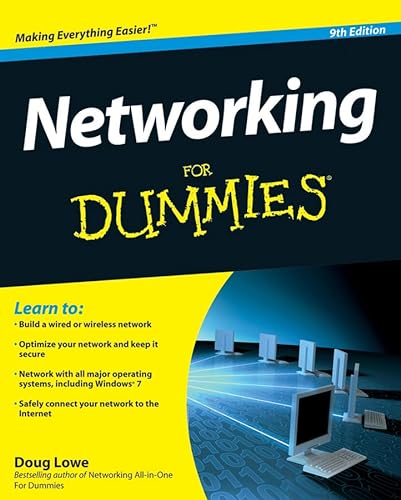
The bestselling beginning networking book is now updated to cover the latest tools and trends!
Fully updated and revised to include the latest trends in networking, this perennial bestseller features updated coverage of broadband technologies, storage, and backup. You'll discover the hottest topics for setting up a network at home or in the office.
Popular For Dummies author Doug Lowe knows what the networking beginner is looking for, so to that end, he offers you networking fundamentals written in his easy-to-understand style and discusses topics such as Windows 7 and Windows Server 2008.
* Walks you through networking basics with valuable updates of the latest networking tools and trends
* Explains exactly what a network is and how to use it
* Demonstrates how to build a wired or wireless network
* Addresses securing, optimizing, and troubleshooting a network
* Discusses networking with all major operating systems
Networking For Dummies, 9th Edition is the guide you need to start sharing resources and exchanging data today.
Die Inhaltsangabe kann sich auf eine andere Ausgabe dieses Titels beziehen.
Über die Autorin bzw. den Autor
Doug Lowe is the Information Technology Director for a civil engineering firm in California. He has been managing networks for more than 20 years and has written 50+ technology books, including Networking All-in-One For Dummies, 3rd Edition and PowerPoint 2007 For Dummies.
Von der hinteren Coverseite
Need to build a network or use one? No idea where to start? Start here!
So you want to use a network — or worse, someone wants you to set up one. Here's just what you need to know in a language you can understand, even if you don't own a pocket protector. Find out what a network is, how to take advantage of what it offers, what you need to build and manage one, and how to keep your network (and the stuff on it) safe.
Just the facts — for users only, here's the scoop on networks, how to use one, and how it makes life easier
Getting started — find out how to plan a network and what hardware and software you need to set one up
More techie stuff — what network builders need to know about TCP/IP, DHCP, and DNS
I'll be your server — learn about setting up a server, configuring Windows clients, and going wireless
Hooking up — connect your network to the Internet and set up a firewall
Going mobile — explore the unique factors that affect network access via iPhones, BlackBerry devices, and other smartphones
Network management — learn to keep your network secure and your users happy
Those other guys — discover how to network Macs and PCs or set up a Linux network
Open the book and find:
How to share files, printers, and databases
An overview of network parts
Network troubleshooting tips
What a network administrator has to do
Security advice for mobile devices on your network
How to set up an e-mail server
Advice for a backup plan
Basic network maintenance tips
Auszug. © Genehmigter Nachdruck. Alle Rechte vorbehalten.
Networking For Dummies
By Doug LoweJohn Wiley & Sons
Copyright © 2010 John Wiley & Sons, LtdAll right reserved.
ISBN: 978-0-470-53405-2
Chapter One
Networks Will Not Take Over the World, and Other Network Basics
In This Chapter
* Getting a handle on networks
* Considering why networking is useful (and is everywhere)
* Telling the difference between servers and clients
* Looking under the hood at the network operating system
* Asking "How does it work when a network works if a network works for me?" (Say what?)
* Assessing how networks change computing life
* Identifying (and offering sympathy to) the network administrator
* Comparing servers to clients: What have they got that you don't got?
Computer networks get a bad rap in the movies. In the Terminator movies, Skynet (a computer network of the future) takes over the planet, builds deadly terminator robots, and sends them back through time to kill everyone unfortunate enough to have the name Sarah Connor. In The Matrix movies, a vast and powerful computer network enslaves humans and keeps them trapped in a simulation of the real world. And in one of Matthew Broderick's first movies, War Games, a computer whiz kid nearly starts World War III by connecting to a Defense Department network and playing the game Global Thermonuclear War.
Fear not. These bad networks exist only in the dreams of science fiction writers. Real-world networks are much more calm and predictable. They don't think for themselves, they can't evolve into something you don't want them to be, and they won't hurt you - even if your name is Sarah Connor.
Now that you're over your fear of networks, you're ready to breeze through this chapter. It's a gentle, even superficial, introduction to computer networks, with a slant toward the concepts that can help you use a computer that's attached to a network. This chapter goes easy on the details; the detailed and boring stuff comes later.
What Is a Network?
A network is nothing more than two or more computers connected by a cable (or in some cases, by radio connection) so that they can exchange information.
Of course, computers can exchange information in ways other than networks. Most of us have used what computer nerds call the sneakernet. That's where you copy a file to a CD or DVD disk or a removable flash drive and then walk the data over to someone else's computer. (The term sneakernet is typical of computer nerds' feeble attempts at humor.)
The whole problem with the sneakernet is that it's slow - plus, it wears a trail in your carpet. One day, some penny-pinching computer geeks discovered that connecting computers with cables was cheaper than replacing the carpet every six months. Thus, the modern computer network was born.
You can create a computer network by hooking together all the computers in your office with cables and using the computer's network interface (an electronic circuit that resides inside your computer and has a special jack on the computer's backside). Then you set up your computer's operating system software to make the network work, and - voil - you have a working network. That's all there is to it.
If you don't want to mess with cables, you can create a wireless network instead. In a wireless network, each computer is equipped with a special wireless network adapter that has little rabbit-ear antennas. Thus, the computers can communicate with each other without the need for cables.
Figure 1-1 shows a typical network with four computers. You can see that all four computers are connected by a network cable to a central network device: the hub. You can also see that Ward's computer has a fancy laser printer attached to it. Because of the network, June, Wally, and the Beaver can also use this laser printer. (Also, you can see that the Beaver stuck yesterday's bubble gum to the back of his computer. Although the bubble gum isn't recommended, it shouldn't adversely affect the network.)
Computer networking has its own strange vocabulary. Although you don't have to know every esoteric networking term, it helps to be acquainted with a few of the basic buzzwords:
TIP
Don't confuse local-area networks with the Internet. The Internet is a huge amalgamation of computer networks strewn about the entire planet. Networking the computers in your home or office so that they can share information with one another and connecting your computer to the worldwide Internet are two separate, but related, tasks. If you want to use your local-area network to connect your computers to the Internet, you can consult Chapter 10 for instructions.
Why Bother with a Network?
Frankly, computer networks are a bit of a pain to set up. So, why bother? Because the benefits of having a network outweigh the difficulties of setting up one.
You don't have to be a PhD to understand the benefits of networking. In fact, you learned everything you need to know in kindergarten: Networks are all about sharing. Specifically, networks are about sharing three things: files, resources, and programs.
Sharing files
Networks enable you to share information with other computers on the network. Depending on how you set up your network, you can share files with your network friends in several different ways. You can send a file from your computer directly to a friend's computer by attaching the file to an e-mail message and then mailing it. Or, you can let your friend access your computer over the network so that your friend can retrieve the file directly from your hard drive. Yet another method is to copy the file to a disk on another computer and then tell your friend where...
„Über diesen Titel“ kann sich auf eine andere Ausgabe dieses Titels beziehen.
Suchergebnisse für Networking For Dummies

Beispielbild für diese ISBN
Networking For Dummies
Anbieter: World of Books (was SecondSale), Montgomery, IL, USA
Verkäuferbewertung 5 von 5 Sternen

Zustand: Acceptable. Item in acceptable condition! Textbooks may not include supplemental items i.e. CDs, access codes etc. Artikel-Nr. 00108211599
Gebraucht kaufen
EUR 5,45
Versand gratis
Versand innerhalb von USA
Versand innerhalb von USA
Anzahl: 1 verfügbar
Beispielbild für diese ISBN
Networking For Dummies
Anbieter: ThriftBooks-Atlanta, AUSTELL, GA, USA
Verkäuferbewertung 5 von 5 Sternen
Paperback. Zustand: As New. No Jacket. Pages are clean and are not marred by notes or folds of any kind. ~ ThriftBooks: Read More, Spend Less. Artikel-Nr. G0470534052I2N00
Gebraucht kaufen
EUR 6,06
Versand gratis
Versand innerhalb von USA
Versand innerhalb von USA
Anzahl: 1 verfügbar
Beispielbild für diese ISBN
Networking for Dummies
Verlag:
Wiley & Sons, Incorporated, John, 2009
ISBN 10: 0470534052
ISBN 13: 9780470534052
Gebraucht
Softcover
Anbieter: Better World Books, Mishawaka, IN, USA
Verkäuferbewertung 5 von 5 Sternen
Zustand: Good. 9th Edition. Pages intact with minimal writing/highlighting. The binding may be loose and creased. Dust jackets/supplements are not included. Stock photo provided. Product includes identifying sticker. Better World Books: Buy Books. Do Good. Artikel-Nr. GRP92576734
Gebraucht kaufen
EUR 6,67
Versand gratis
Versand innerhalb von USA
Versand innerhalb von USA
Anzahl: 1 verfügbar
Beispielbild für diese ISBN
Networking for Dummies
Verlag:
Wiley & Sons, Incorporated, John, 2009
ISBN 10: 0470534052
ISBN 13: 9780470534052
Gebraucht
Softcover
Anbieter: Better World Books, Mishawaka, IN, USA
Verkäuferbewertung 5 von 5 Sternen
Zustand: Very Good. 9th Edition. Former library copy. Pages intact with possible writing/highlighting. Binding strong with minor wear. Dust jackets/supplements may not be included. Includes library markings. Stock photo provided. Product includes identifying sticker. Better World Books: Buy Books. Do Good. Artikel-Nr. GRP65515216
Gebraucht kaufen
EUR 6,67
Versand gratis
Versand innerhalb von USA
Versand innerhalb von USA
Anzahl: 1 verfügbar
Beispielbild für diese ISBN
Networking for Dummies
Verlag:
Wiley & Sons, Incorporated, John, 2009
ISBN 10: 0470534052
ISBN 13: 9780470534052
Gebraucht
Softcover
Anbieter: Better World Books, Mishawaka, IN, USA
Verkäuferbewertung 5 von 5 Sternen
Zustand: Good. 9th Edition. Former library copy. Pages intact with minimal writing/highlighting. The binding may be loose and creased. Dust jackets/supplements are not included. Includes library markings. Stock photo provided. Product includes identifying sticker. Better World Books: Buy Books. Do Good. Artikel-Nr. GRP64573779
Gebraucht kaufen
EUR 6,67
Versand gratis
Versand innerhalb von USA
Versand innerhalb von USA
Anzahl: 1 verfügbar
Beispielbild für diese ISBN
Networking For Dummies
Verlag:
John Wiley and Sons Ltd, United Kingdom, Chichester, 2009
ISBN 10: 0470534052
ISBN 13: 9780470534052
Gebraucht
Paperback
Anbieter: WorldofBooks, Goring-By-Sea, WS, Vereinigtes Königreich
Verkäuferbewertung 5 von 5 Sternen
Paperback. Zustand: Very Good. The bestselling beginning networking book is now updated to cover the latest tools and trends! Fully updated and revised to include the latest trends in networking, this perennial bestseller features updated coverage of broadband technologies, storage, and backup. You'll discover the hottest topics for setting up a network at home or in the office. Popular For Dummies author Doug Lowe knows what the networking beginner is looking for, so to that end, he offers you networking fundamentals written in his easy-to-understand style and discusses topics such as Windows 7 and Windows Server 2008. Walks you through networking basics with valuable updates of the latest networking tools and trends Explains exactly what a network is and how to use it Demonstrates how to build a wired or wireless network Addresses securing, optimizing, and troubleshooting a network Discusses networking with all major operating systems Networking For Dummies, 9th Edition is the guide you need to start sharing resources and exchanging data today. The book has been read, but is in excellent condition. Pages are intact and not marred by notes or highlighting. The spine remains undamaged. Artikel-Nr. GOR001985608
Gebraucht kaufen
EUR 13,54
EUR 6,56 Versand
Versand von Vereinigtes Königreich nach USA
Versand von Vereinigtes Königreich nach USA
Anzahl: 3 verfügbar