
Verwandte Artikel zu Photoshop CS4 for Dummies (For Dummies Series)
Inhaltsangabe
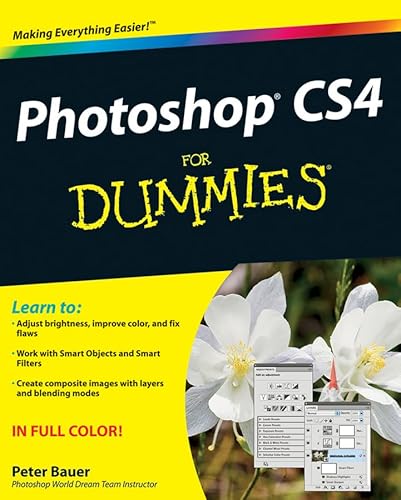
This latest version of Photoshop has a few new tricks up its sleeve and Adobe Photoshop CS4 For Dummies will teach you how to use them. From the basics like getting your images into and out of Photoshop to enhancing, cropping, and color correction, it’s all here!
You’ll get all of the basics of digital images and master the importing and exporting of images. You’ll find out how to create easy enhancements like adding shadows and highlights and making color natural, in addition to learning how to use the Adobe camera raw plug-in. Before you know it, you’ll be making beautiful “art” with Photoshop by combining images, precision edges, dressing up images, painting in Photoshop, and using filters. You can even streamline your work in Photoshop using advanced techniques. Find out how to:
- Import images and use all the tools and processes
- Reduce digital noise, make colors look natural, add highlights and shadows
- Optimize images for print or the Web
- Edit images
- Explore the Painting function and master the daunting Brushes panel
- Add layer styles
- Create on-screen presentations, contact prints, and more
Complete with lists of ten reasons to love your Wacom tablet, ten reasons to own a digital camera, and ten favorite tips and tricks, Adobe CS4For Dummies is your one-stop guide to setting up, working with, and making the most of Photoshop CS4 for all your digital photography needs.
Die Inhaltsangabe kann sich auf eine andere Ausgabe dieses Titels beziehen.
Über die Autorin bzw. den Autor
Peter Bauer is an award-winning photographer and contributing writer for Photoshop User and Layers magazines. He is best known as the Help Desk Director for the National Association of Photoshop Professionals (NAPP), but he has also authored or coauthored a dozen books on Adobe Photoshop, Illustrator, computer graphics, and photography.
Von der hinteren Coverseite
Get to know Photoshop and start using the newest, coolest techniques!
Whether you're just learning Photoshop or want to take your skills up a notch, you've come to the right place. Photoshop CS4 has a few new tricks up its sleeve, and Photoshop expert Peter Bauer will show you how to use them. From the basics like getting your images into and out of Photoshop to enhancing, cropping, and color correction, it's all here!
- Basic training — if you're a beginner, check this section for details on how to get started, get around, and get familiar with all the parts
-
Enhancements made easy — learn about tonality, how to tweak color to natural perfection, how to isolate areas of an image for correction, and more
-
Fixing those common problems — red-eye, wrinkles, people and objects that don't belong in the photo, and others
-
But is it art? — explore the painting functions, master the daunting Brushes panel, and add layer styles
-
Feel the power — create on-screen presentations, contact sheets, and more
Open the book and find:
- Explanations of the menus, panels, tools, options, and shortcuts you need most
-
Tips for taking advantage of the Camera Raw file format
-
How to fine-tune your fixes with selection tools
-
What you can do with filters
-
Steps for creating composite images
-
Options for adding text to an image
-
How to streamline your workflow
Aus dem Klappentext
Get to know Photoshop and start using the newest, coolest techniques!
Whether you're just learning Photoshop or want to take your skills up a notch, you've come to the right place. Photoshop CS4 has a few new tricks up its sleeve, and Photoshop expert Peter Bauer will show you how to use them. From the basics like getting your images into and out of Photoshop to enhancing, cropping, and color correction, it's all here!
- Basic training — if you're a beginner, check this section for details on how to get started, get around, and get familiar with all the parts
-
Enhancements made easy — learn about tonality, how to tweak color to natural perfection, how to isolate areas of an image for correction, and more
-
Fixing those common problems — red-eye, wrinkles, people and objects that don't belong in the photo, and others
-
But is it art? — explore the painting functions, master the daunting Brushes panel, and add layer styles
-
Feel the power — create on-screen presentations, contact sheets, and more
Open the book and find:
- Explanations of the menus, panels, tools, options, and shortcuts you need most
-
Tips for taking advantage of the Camera Raw file format
-
How to fine-tune your fixes with selection tools
-
What you can do with filters
-
Steps for creating composite images
-
Options for adding text to an image
-
How to streamline your workflow
Auszug. © Genehmigter Nachdruck. Alle Rechte vorbehalten.
Photoshop CS4 For Dummies
By Peter BauerJohn Wiley & Sons
Copyright © 2008 Peter BauerAll right reserved.
ISBN: 978-0-470-32725-8
Chapter One
Welcome to Photoshop!
In This Chapter
* What Photoshop does very well, kind of well, and just sort of, well ...
* What you need to know to work with Photoshop
* What you need to know about installing Photoshop
Adobe Photoshop is, without question, the leading image-editing program in the world. Photoshop has even become somewhat of a cultural icon. It's not uncommon to hear Photoshop used as a verb ("That picture is obviously Photoshopped!"), and you'll even see references to Photoshop in the daily comics and cartoon strips. And now you're part of this whole gigantic phenomenon called Photoshop.
Whether you're new to Photoshop, upgrading from Photoshop CS3 or earlier, or transitioning from Elements to the full version of Photoshop CS4 or Photoshop CS4 Extended, you're in for some treats. Photoshop CS4 has an intriguing new look that enables you to do more, and do it more easily, than ever. Before I take you on this journey through the intricacies of Photoshop, I want to introduce you to Photoshop in a more general way. In this chapter, I tell you what Photoshop is designed to do, what it can do (although not as capably as job-specific software), and what you can get it to do if you try really, really hard. I also review some basic computer operation concepts and point out a couple of places where Photoshop is a little different than most other programs. At the end of the chapter, I have a few tips for you on installing Photoshop to ensure that it runs properly.
Exploring Adobe Photoshop
Photoshop is used for an incredible range of projects, from editing and correcting digital photos to preparing images for magazines and newspapers to creating graphics for the Web. You can also find Photoshop in the forensics departments of law-enforcement agencies, scientific labs and research facilities, and dental and medical offices, as well as in classrooms, offices, studios, and homes around the world. As the Help Desk Director for the National Association of Photoshop Professionals (NAPP), my team and I solve problems and provide solutions for Photoshop users from every corner of the computer graphics field and from every corner of the world. People are doing some pretty amazing things with Photoshop, many of which are so far from the program's original roots that it boggles the mind!
What Photoshop is designed to do
Adobe Photoshop is an image-editing program. It's designed to help you edit images - digital or digitized images, photographs, and otherwise. This is the core purpose of Photoshop. Over the years, Photoshop has grown and developed, adding features that supplement its basic operations. But at its heart, Photoshop is an image editor. At its most basic, Photoshop's workflow goes something like this: You take a picture, you edit the picture, and you print the picture (as illustrated in Figure 1-1).
Whether captured with a digital camera, scanned into the computer, or created from scratch in Photoshop, your artwork consists of tiny squares of color, which are picture elements called pixels. (Pixels and the nature of digital imaging are explored in depth in Chapter 2.) Photoshop is all about changing and adjusting the colors of those pixels - collectively, in groups, or one at a time - to make your artwork look precisely how you want it to look. (Photoshop, by the way, has no Good Taste or Quality Art filter. It's up to you to decide what suits your artistic or personal vision and what meets your professional requirements.) Some very common Photoshop image-editing tasks are shown in Figure 1-2: namely, correcting red-eye and minimizing wrinkles (both discussed in Chapter 9); and compositing images (see Chapter 10).
NEW FEATURE
New in Photoshop CS4 is the powerful ability to rotate the image on screen while you're working. Not rotate the image itself - Photoshop has had that capability for ages - but to rotate the appearance of the image in the work-space. This is especially handy when doing delicate masking and painting, enabling you to orient the image on screen to best suit your stroke. As you can see in Figure 1-3, while you're rotating, a red arrow indicates the image's true "up." Double-clicking the Rotate tool icon in the Toolbox restores the image's orientation. (This feature is not available on older computers with less powerful video cards.)
Over the past few updates, Photoshop has developed some rather powerful illustration capabilities to go with its digital-imaging power. Although Photoshop is still no substitute for Adobe Illustrator, Photoshop certainly can serve you well for smaller illustration projects. (Keep in mind that Photoshop is a raster art program - it works with pixels - and vector art-work is only simulated in Photoshop.) Photoshop also has a very capable brush engine, which makes it feasible to paint efficiently on your digital canvas. Figure 1-4 shows a comparison of raster artwork (the digital photo, left), vector artwork (the illustration, center), and digital painting (right). The three types of artwork can appear in a single image, too. (Simulating vector artwork with Photoshop's shape layers is presented in Chapter 11, and you can read about painting with Photoshop in Chapter 14.)
Photoshop CS4 includes some basic features for creating Web graphics, including slicing and animations (but Web work is best done in a true Web development program, such as Dreamweaver). Photoshop's companion program Adobe Bridge even includes the Output panel to help you create entire Web sites to display your artwork online and PDF presentations for on-screen display, complete with transition effects between slides. (Read about Bridge's Output panel's capabilities in Chapter 16.)
Other things you can do with Photoshop
Although Photoshop isn't a page layout or illustration program, you certainly can produce simple brochures, posters, greeting cards, and the like using only Photoshop. (See Figure 1-5.) One of the features that sets Photoshop apart from basic image editors is its powerful type engine, which can add, edit, format, and stylize text as capably as many word-processing programs. Photoshop even has a spell check feature - not bad for a program that's designed to work with photos, eh?
Even if you don't have the high-end video features found in Photoshop CS4 Extended, you can certainly supplement your video-editing program with Photoshop CS4 (even if Photoshop can't open and play movies you capture with your video camera). From Adobe Premiere (or other professional video programs), you can export a series of frames in the FilmStrip format, which you can open and edit in Photoshop.
If you don't have specialized software
Admittedly, Photoshop CS4 just plain can't do some things. It won't make you a good cup of coffee. It can't press your trousers. It doesn't vacuum under the couch. It isn't even a substitute for iTunes, Microsoft Excel, or Netscape Navigator - it just doesn't do those things.
However, there are a number of things for which Photoshop isn't designed that you can do in a pinch. If you don't have InDesign, you can still lay out the pages of a newsletter, magazine, or even a book, one page at a time. (With Bridge's Ouput panel, you can even generate a multipage PDF document from your individual pages.) If you don't have Dreamweaver or...
„Über diesen Titel“ kann sich auf eine andere Ausgabe dieses Titels beziehen.
Suchergebnisse für Photoshop CS4 for Dummies (For Dummies Series)

Beispielbild für diese ISBN
Photoshop CS4 For Dummies
Anbieter: World of Books (was SecondSale), Montgomery, IL, USA
Verkäuferbewertung 5 von 5 Sternen

Zustand: Good. Item in good condition. Textbooks may not include supplemental items i.e. CDs, access codes etc. Artikel-Nr. 00070508623
Gebraucht kaufen
EUR 4,08
Versand gratis
Versand innerhalb von USA
Versand innerhalb von USA
Anzahl: 1 verfügbar
Beispielbild für diese ISBN
Photoshop CS4 for Dummies
Verlag:
Wiley & Sons, Incorporated, John, 2008
ISBN 10: 0470327251
ISBN 13: 9780470327258
Gebraucht
Softcover
Erstausgabe
Anbieter: Better World Books, Mishawaka, IN, USA
Verkäuferbewertung 5 von 5 Sternen
Zustand: Very Good. 1st Edition. Pages intact with possible writing/highlighting. Binding strong with minor wear. Dust jackets/supplements may not be included. Stock photo provided. Product includes identifying sticker. Better World Books: Buy Books. Do Good. Artikel-Nr. 575882-20
Gebraucht kaufen
EUR 6,47
Versand gratis
Versand innerhalb von USA
Versand innerhalb von USA
Anzahl: 1 verfügbar
Beispielbild für diese ISBN
Photoshop CS4 for Dummies
Verlag:
Wiley & Sons, Incorporated, John, 2008
ISBN 10: 0470327251
ISBN 13: 9780470327258
Gebraucht
Softcover
Erstausgabe
Anbieter: Better World Books, Mishawaka, IN, USA
Verkäuferbewertung 5 von 5 Sternen
Zustand: Good. 1st Edition. Pages intact with minimal writing/highlighting. The binding may be loose and creased. Dust jackets/supplements are not included. Stock photo provided. Product includes identifying sticker. Better World Books: Buy Books. Do Good. Artikel-Nr. 7669601-75
Gebraucht kaufen
EUR 6,47
Versand gratis
Versand innerhalb von USA
Versand innerhalb von USA
Anzahl: 1 verfügbar
Beispielbild für diese ISBN
Photoshop CS4 for Dummies
Verlag:
Wiley & Sons, Incorporated, John, 2008
ISBN 10: 0470327251
ISBN 13: 9780470327258
Gebraucht
Softcover
Erstausgabe
Anbieter: Better World Books, Mishawaka, IN, USA
Verkäuferbewertung 5 von 5 Sternen
Zustand: Good. 1st Edition. Former library copy. Pages intact with minimal writing/highlighting. The binding may be loose and creased. Dust jackets/supplements are not included. Includes library markings. Stock photo provided. Product includes identifying sticker. Better World Books: Buy Books. Do Good. Artikel-Nr. GRP62628757
Gebraucht kaufen
EUR 6,47
Versand gratis
Versand innerhalb von USA
Versand innerhalb von USA
Anzahl: 1 verfügbar
Beispielbild für diese ISBN
Photoshop CS4 For Dummies (For Dummies Series)
Verlag:
For Dummies (edition 1), 2008
ISBN 10: 0470327251
ISBN 13: 9780470327258
Gebraucht
Paperback
Anbieter: BooksRun, Philadelphia, PA, USA
Verkäuferbewertung 5 von 5 Sternen
Paperback. Zustand: Very Good. 1. It's a well-cared-for item that has seen limited use. The item may show minor signs of wear. All the text is legible, with all pages included. It may have slight markings and/or highlighting. Artikel-Nr. 0470327251-8-1
Gebraucht kaufen
EUR 7,19
Versand gratis
Versand innerhalb von USA
Versand innerhalb von USA
Anzahl: 1 verfügbar
Beispielbild für diese ISBN
Photoshop Cs4 for Dummies
Anbieter: ThriftBooks-Dallas, Dallas, TX, USA
Verkäuferbewertung 5 von 5 Sternen
Paperback. Zustand: Very Good. No Jacket. May have limited writing in cover pages. Pages are unmarked. ~ ThriftBooks: Read More, Spend Less. Artikel-Nr. G0470327251I4N00
Gebraucht kaufen
EUR 9,16
Versand gratis
Versand innerhalb von USA
Versand innerhalb von USA
Anzahl: 1 verfügbar
Beispielbild für diese ISBN
Photoshop CS4 For Dummies (For Dummies Series)
Anbieter: WorldofBooks, Goring-By-Sea, WS, Vereinigtes Königreich
Verkäuferbewertung 5 von 5 Sternen
Paperback. Zustand: Very Good. The book has been read, but is in excellent condition. Pages are intact and not marred by notes or highlighting. The spine remains undamaged. Artikel-Nr. GOR002027021
Gebraucht kaufen
EUR 4,14
EUR 6,54 Versand
Versand von Vereinigtes Königreich nach USA
Versand von Vereinigtes Königreich nach USA
Anzahl: 3 verfügbar
Beispielbild für diese ISBN
Photoshop CS4 for Dummies
Verlag:
Wiley & Sons, Incorporated, John, 2008
ISBN 10: 0470327251
ISBN 13: 9780470327258
Gebraucht
Softcover
Erstausgabe
Anbieter: Better World Books Ltd, Dunfermline, Vereinigtes Königreich
Verkäuferbewertung 5 von 5 Sternen
Zustand: Very Good. 1st Edition. Former library copy. Pages intact with possible writing/highlighting. Binding strong with minor wear. Dust jackets/supplements may not be included. Includes library markings. Stock photo provided. Product includes identifying sticker. Better World Books: Buy Books. Do Good. Artikel-Nr. 11872554-6
Gebraucht kaufen
EUR 5,85
EUR 5,84 Versand
Versand von Vereinigtes Königreich nach USA
Versand von Vereinigtes Königreich nach USA
Anzahl: 1 verfügbar
Beispielbild für diese ISBN
Photoshop CS4 for Dummies
Anbieter: Reuseabook, Gloucester, GLOS, Vereinigtes Königreich
Verkäuferbewertung 5 von 5 Sternen
Paperback. Zustand: Used; Good. Dispatched, from the UK, within 48 hours of ordering. This book is in good condition but will show signs of previous ownership. Please expect some creasing to the spine and/or minor damage to the cover. Artikel-Nr. CHL2320484
Gebraucht kaufen
EUR 5,67
EUR 11,69 Versand
Versand von Vereinigtes Königreich nach USA
Versand von Vereinigtes Königreich nach USA
Anzahl: 3 verfügbar
Beispielbild für diese ISBN
Photoshop CS4 For Dummies
Anbieter: Hamelyn, Madrid, M, Spanien
Verkäuferbewertung 5 von 5 Sternen
Zustand: Muy bueno. : Aprende a dominar Photoshop CS4 con esta guía práctica y sencilla. Ideal tanto para principiantes como para usuarios intermedios, este libro te enseñará desde los conceptos básicos hasta las técnicas más avanzadas. Descubre cómo importar y exportar imágenes, realizar mejoras de color y brillo, corregir imperfecciones y crear composiciones impresionantes. Con explicaciones claras y ejemplos paso a paso, este libro te permitirá aprovechar al máximo todas las herramientas y funciones de Photoshop CS4. EAN: 9780470327258 Tipo: Libros Categoría: Tecnología Título: Photoshop CS4 For Dummies Autor: Peter Bauer Editorial: John Wiley & Sons Ltd Idioma: en Páginas: 416 Formato: tapa blanda. Artikel-Nr. Happ-2024-03-12-e9df69eb
Gebraucht kaufen
EUR 5,99
EUR 12,99 Versand
Versand von Spanien nach USA
Versand von Spanien nach USA
Anzahl: 1 verfügbar